Summer Game
2D top-down clicking game made in pygame
Click down enemies, collect XP, and grow your cursor into a screen-clearing force. How long can you hold the line?
2D top-down clicking game made in pygame
Click down enemies, collect XP, and grow your cursor into a screen-clearing force. How long can you hold the line?
Overview & Teamwork
Summer Game was a short OSAO school project made in three weeks. The main goal was to learn more about game development and how game engines actually work. I wanted to make a simple game that I could finish quickly and that would be fun to play. This was a fully solo project. Every part of it was designed, built, and completed by me, except for a few Creative Commons 0 licensed sound effects.
Game Concept & Design
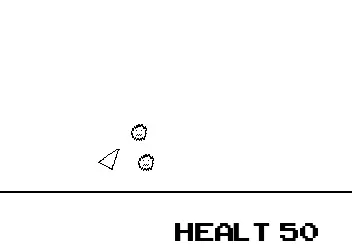
The idea was to create a clicking game where you collect XP orbs from defeating enemies. When you collect enough XP, you get an upgrade presented as two cards. I scoped the project to have only one upgrade to stay within the timeline, so currently there is only one available: the cursor size upgrade, which allows you to hit many more enemies because your cursor becomes much bigger. I wanted to keep the visuals simple, so I used a basic pixel art style with only black and white colors.
My Role & Challenges
I wanted to learn how to use pygame and Python for game development. It was the first game I made with Python and pygame, so I had to learn a lot. Pygame is a low-level engine; it has many basic functions but no interface, so you have to code things like the game window, refreshing the pixels, and the per-frame logic.
Project Outcome & Lessons Learned
Overall, creating this game was fun and interesting. It was my first time using a low-level engine, and I enjoyed managing almost every pixel on the screen myself.
| Genre: | 2D Top-Down Clicking Game |
| Project Timeline: | X X, 2025 - X X, 2025 |
| Project Status: | Prototype |
| Game engine: | Pygame-CE 2.5.5 |
| Programming language: | Python |
| Team size: | Solo |
| Main Roles: | Designer, Developer & Artist |
| Art tool: | Pyxel Edit |
Check out my code, download the desktop version, or play it in your browser